NOL Card Refund in Dubai – How to Claim your Balance Back
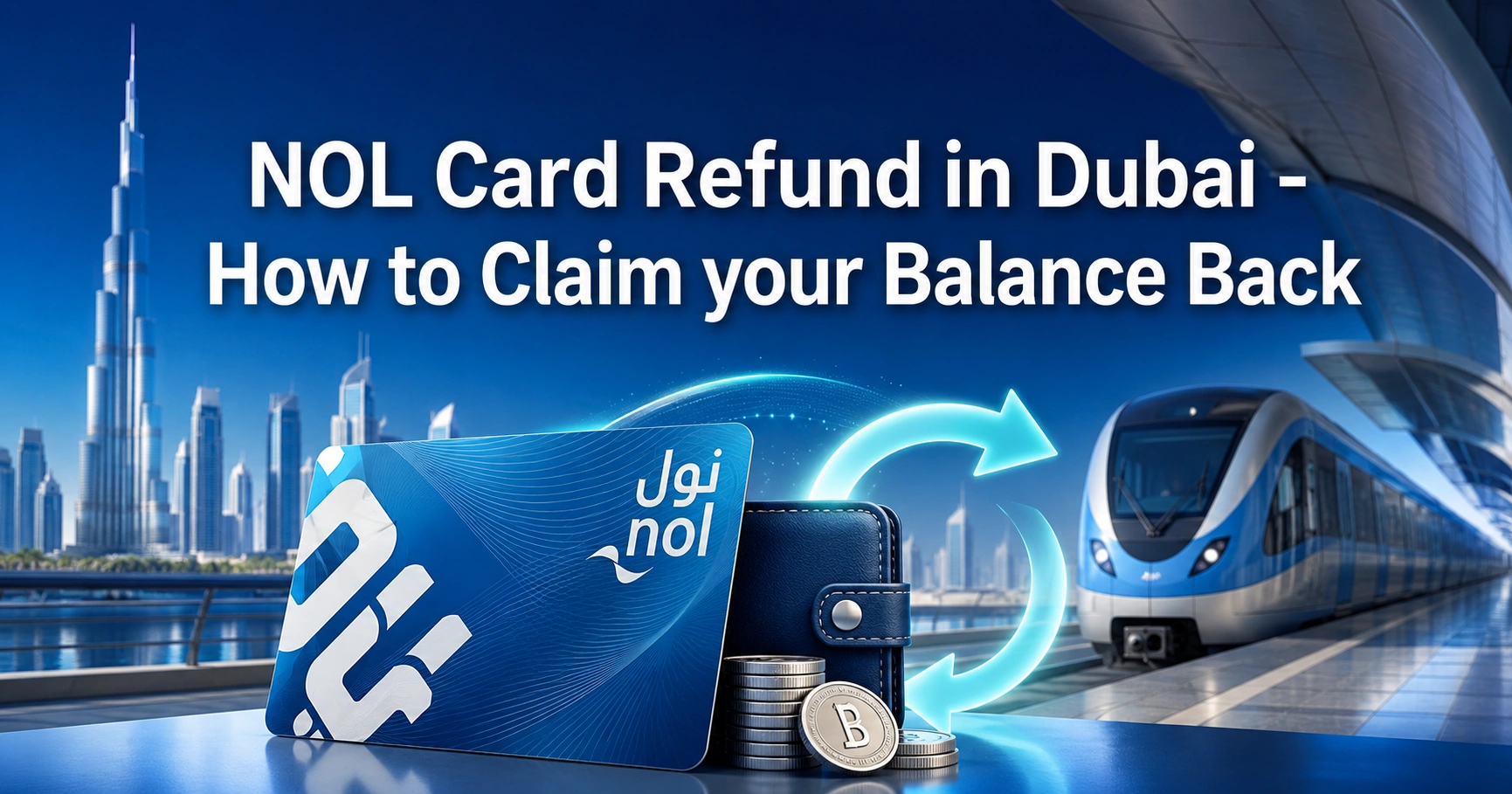
A NOL card refund lets you recover eligible unused balance, pending top-up amount, overcharge amount, or remaining value from a lost, damaged, expired, faulty, cancelled, registered, personal, anonymous, or virtual NOL card.
The refund process depends on your card type, balance amount, registration status, and refund reason. Some refunds are instant at Dubai Metro ticket office machines, while others must be requested through RTA digital channels or the nol Pay app.
This guide explains how NOL card refund works for residents, tourists, daily commuters, and visitors leaving Dubai.
What Is a NOL Card Refund?
A NOL card refund is a request to recover money left on your NOL card when you no longer need it, cannot use it, were overcharged, or want to transfer the balance to another card.
The refund can apply to:
- Remaining e-purse balance
- Non-activated top-up balance
- Lost or stolen registered NOL card balance
- Damaged, faulty, or expired card balance
- Overcharge from Metro, Bus, or Tram trips
- Unused eligible Travel Pass value
- Cancelled valid and activated NOL cards
- Anonymous card balance under the allowed limit
- NOL Red Ticket refund in limited cases
The most important rule is simple: registered and personal cards give you more refund options. Anonymous cards have fewer options and must usually be surrendered at a Metro station if eligible.
Can You Get a Refund on a NOL Card?
Yes, you can get a NOL card refund if your card and balance meet RTA refund conditions. The refund may be issued in cash, transferred to another registered or personal NOL card, or credited as an approved balance transfer.
For small balances, the quickest option is usually a Metro station ticket office machine. For registered, personal, lost, expired, damaged, pending balance, and higher-value refund cases, the online or nol Pay method is usually required.
Tourists can also request a refund. The best option depends on whether the card is anonymous or registered, how much balance remains, and how soon they are leaving Dubai.
NOL Card Refund Eligibility by Card Type
Different NOL cards have different refund rules. Use this table to understand what applies before starting the refund process.
| NOL Card Type | Refund Eligibility | Best Refund Method | Key Condition |
|---|---|---|---|
| Personal NOL Card | Yes | RTA digital channel, nol Pay, or Metro station | More options because the card is linked to the user |
| Registered Silver Card | Yes | RTA digital channel, nol Pay, or Metro station | Can transfer balance to another registered or personal card |
| Registered Gold Card | Yes | RTA digital channel, nol Pay, or Metro station | Same refund rules as registered Silver card |
| Anonymous Silver Card | Limited | Metro station ticket office machine | Must be active, valid, surrendered, and within cash refund limit |
| Anonymous Gold Card | Limited | Metro station ticket office machine | Not eligible for online refund unless registered first |
| NOL Red Ticket | Limited | Metro station ticket office machine | Must meet Red Ticket refund conditions |
| Virtual NOL Card | Yes, where eligible | nol Pay app only | Applies to supported virtual NOL cards |
| Bank-issued NOL Card | Special case | Issuing bank | Lost, damaged, faulty, or expired cases are handled by the bank |
Registered, Personal and Anonymous NOL Cards Explained
A registered NOL card is linked to your RTA account, mobile number, UAE Pass, or personal details. A personal NOL card, such as the Blue card, is linked directly to the cardholder and may include the customer’s profile information.
These cards are safer because the balance can be traced. If the card is lost, damaged, stolen, expired, or cancelled, the refund or balance transfer process is easier.
An anonymous NOL card is not linked to your identity. It can still be refunded in limited cases, but only through Metro station ticket office machines after surrendering the card, and only if it is still valid, active, not blocked, not expired, not faulty, and within the allowed balance limit.
When Can You Apply for a NOL Card Refund?
You can apply for a NOL card refund when your card has eligible remaining balance or when a fare error has occurred.
Common refund reasons include:
- You no longer need the card
- You are leaving Dubai
- Your card is lost or stolen
- Your card is damaged or faulty
- Your card has expired
- Your top-up amount was not activated
- You were charged twice
- You forgot to check out
- A higher fare was charged
- Your journey was cancelled
- Your Travel Pass is unused and eligible
- You want to cancel a valid and activated card
Each reason has its own rules. For example, an overcharge refund must be reported quickly, while an expired card refund may be possible only within the allowed period after expiry.
NOL Card Refund Reasons and Conditions
| Refund Reason | Who Can Apply | Refund Type | Processing Time |
|---|---|---|---|
| Valid card cancellation | Personal or registered cardholder | Cash or balance transfer | Usually 4 working days |
| Anonymous card refund | Anonymous cardholder | Cash only | Instant if eligible |
| Lost or stolen card | Registered or personal cardholder | Cash or balance transfer | Usually 4 working days |
| Damaged or expired card | Registered or personal cardholder | Cash or balance transfer | Usually 4 working days |
| Pending top-up balance | Personal or registered cardholder | Balance recovery | Usually 4 working days |
| Unused Travel Pass | Registered or personal cardholder | Travel Pass value refund | Usually 4 working days |
| Overcharge claim | Residents, citizens, visitors | Same or alternative card credit | Within 7 working days |
| NOL Red Ticket | Red Ticket holder | Cash | Instant if conditions are met |
Documents and Details Needed for NOL Card Refund
Before applying, keep your card and personal details ready. Missing information can delay or block your refund request.
You may need:
- NOL card Tag ID
- Registered mobile number
- UAE Pass or RTA account login
- NOL card PIN, where required
- Emirates ID for residents
- Passport details for visitors, where applicable
- Email address for overcharge requests
- Alternative registered or personal NOL card for balance transfer
- Trip date and transport mode for overcharge claims
- Route, station, or bus details for overcharge claims
- Reason for refund, such as lost, damaged, expired, faulty, or cancellation
The NOL Tag ID is the key detail. If you have a physical card, it is usually printed on the card. If you lost a registered card, your account or customer support may help identify the card details.
How to Apply for NOL Card Refund Online
The online method is best for personal and registered NOL cards, especially if the balance is above the cash refund limit or the card is lost, damaged, expired, or linked to your account.
Steps to Request NOL Card Refund Online
- Log in using UAE Pass or your RTA account.
- Open the Refund section from your account dashboard.
- Choose the refund type.
- Select “Refund nol Card Balance.”
- Enter your NOL Tag ID.
- Select the reason for the refund.
- Choose cash refund or NOL balance transfer.
- Enter the required PIN or verification details.
- Review the application carefully.
- Confirm and submit the request.
- Wait for the SMS confirmation.
- Follow the instructions in the approval message.
After submission, the card blocking request is created where applicable. The refund is usually approved after 4 working days, and you receive an SMS with the next steps.
How to Apply for NOL Card Refund Through nol Pay App
The nol Pay app is useful if your phone supports NFC and your card can be scanned or linked. It is also the required method for eligible virtual NOL card refund cases.
Steps to Transfer Refund Balance to Another NOL Card
- Open the nol Pay app.
- Log in using UAE Pass.
- Select “Refund nol Card Balance.”
- Place the NOL card on your phone’s NFC area or choose a linked card.
- Select the refund reason.
- Choose “Transfer to NOL Card.”
- Place the alternative card on the NFC area or select a linked card.
- Confirm the application.
- Submit the request.
- Wait for the approval SMS.
Steps to Request Cash Refund Through nol Pay
- Open the nol Pay app.
- Log in using UAE Pass.
- Select “Refund nol Card Balance.”
- Scan or select the eligible card.
- Choose the refund reason.
- Select “Collect Cash.”
- Submit the application.
- Use the SMS instructions to collect cash from the listed Metro station.
The refund is not always instant through the app. In most standard personal or registered card cases, approval takes around 4 working days.
How to Get Instant Cash NOL Card Refund at Metro Stations
You can get an instant cash refund at Metro station ticket office machines if the card and balance meet the conditions.
This option is especially useful for tourists, visitors, and residents with small remaining balances.
Steps for Metro Station Cash Refund
- Visit a Dubai Metro station ticket office machine.
- Give your NOL card to the station agent.
- The agent validates the card status.
- The card must be valid, active, and eligible.
- The current balance must be no more than AED 100.
- The agent deducts the service fee.
- You receive the cash refund instantly.
For anonymous NOL cards, this is the main refund method. The card must be surrendered, and the refund is not available if the card is blocked, expired, damaged, faulty, or above the allowed balance limit.
NOL Card Refund for Tourists Leaving Dubai
Tourists should check their NOL balance before leaving Dubai, especially if they bought a Silver card, Gold card, Red Ticket, or Travel Pass.
If your balance is small and the card is still active, the easiest option is to visit a Metro station before going to the airport. You can request a cash refund if the balance meets the allowed limit and the card is eligible.
If your card is registered or personal, you may have more refund options. If it is anonymous, you should not wait until after leaving the UAE because online recovery options are limited unless the card was registered first.
Best Refund Option for Tourists
| Tourist Situation | Best Option |
|---|---|
| Anonymous card with small balance | Metro station cash refund |
| Registered card with higher balance | Online or nol Pay refund |
| Leaving Dubai today | Metro station refund if eligible |
| Lost anonymous card | Usually not recoverable |
| Lost registered card | Apply for balance recovery |
| Unused Red Ticket | Metro station refund if eligible |
| Activated anonymous 7-day Travel Pass | Usually not refundable after activation |
Cash Refund vs Balance Transfer
The NOL card refund can be handled as cash or as a balance transfer. The right choice depends on the amount and whether you plan to keep using public transport in Dubai.
| Refund Method | Best For | Fee | Key Rule |
|---|---|---|---|
| Cash refund | Small balances and tourists leaving Dubai | 2.5% or AED 5, whichever is higher | Cash refund is only available within the allowed refund limit |
| Balance transfer | Residents and regular commuters | Free | Transfer is allowed only to a registered or personal alternative NOL card |
| Overcharge refund | Fare mistakes | Free | Must be claimed within the allowed time |
| Red Ticket refund | Unused eligible Red Ticket | AED 2 | Must meet Red Ticket refund rules |
Balance transfer is usually better if you are staying in Dubai because it avoids the cash refund service fee. Cash is better if you are leaving the UAE and do not need another card.
NOL Card Refund Fees and Charges
Refund charges depend on the refund type and card type.
| Service Type | Fee |
|---|---|
| Cash refund for NOL card | 2.5% of balance or AED 5, whichever is higher |
| Balance transfer to registered or personal NOL card | Free |
| Overcharge claim refund | Free |
| NOL Red Ticket refund | AED 2 |
| Replacement for damaged, lost, or expired card | Replacement charges may apply |
| Registration fees | Non-refundable and non-transferable |
For very small balances, it may be better to use the remaining amount instead of paying a refund fee. This is why tourists often spend low balances on small purchases before leaving Dubai.
NOL Card Balance Refund Limits
Cash refunds are restricted by balance limits. If your balance is too high, you may need to use RTA digital channels and transfer the money to another eligible NOL card.
| Balance Situation | What Happens |
|---|---|
| Balance is AED 100 or below at Metro ticket office machine | Station agent may issue instant cash refund if the card is eligible |
| Refund amount is less than AED 100 | Cash refund may be available |
| Balance is above the station cash refund limit | Apply through RTA online channels or nol Pay |
| Balance transfer selected | Alternative card must be registered or personal |
| Refund not collected within 30 days | Cash refund request may be cancelled |
| Balance transfer not activated within 180 days | Refund activation may expire |
How Long Does a NOL Card Refund Take?
The refund time depends on the refund type.
| Refund Type | Processing Time |
|---|---|
| Anonymous card cash refund at Metro station | Instant if eligible |
| Registered or personal card refund | Usually 4 working days |
| Lost, damaged, or expired registered card refund | Usually 4 working days |
| Pending top-up refund | Usually 4 working days |
| Unused Travel Pass refund | Usually 4 working days |
| Overcharge claim refund | Within 7 working days |
| Cash collection after approval | Must be collected within 30 days |
In many online refund cases, you receive one SMS after submitting the request and another SMS after approval. The second message explains how to collect cash or activate the balance transfer.
How to Track NOL Card Refund Status
You usually track your NOL card refund through SMS updates. After submitting the request, you receive confirmation that the application has been received.
Once the request is approved or rejected, another SMS is sent to your registered mobile number. If approved, the message will explain whether you should collect cash from a Metro station or activate a balance transfer on another NOL card.
For overcharge claims, you should keep the trip date, station, route, transport mode, and card Tag ID ready. These details make it easier to follow up if the refund takes longer than expected.
How to Collect an Approved Cash Refund
If your NOL card refund is approved for cash collection, follow the SMS instructions carefully. The message usually includes the information needed at the Metro station.
To collect the cash refund:
- Visit the Metro station mentioned in the approval SMS.
- Present the refunded NOL Tag ID or the first SMS.
- Give the details to the station staff.
- Collect the refund after service fee deduction.
You must collect the cash refund within 30 days from the approval date. If you miss the collection deadline, the refund request may be cancelled.
How to Activate a NOL Balance Transfer Refund
If your refund is transferred to another NOL card, the money may not appear instantly. You need to activate the transferred amount by tapping or inserting the card at an online device.
You can activate the refunded balance through:
- Metro gates
- Parking meter machines
- Bus solar-powered machines
- nol Pay app
- Check-in or check-out at Metro gates
After receiving the approval SMS, wait for the required activation window. In many cases, the balance appears after tapping the card within 45 minutes to 4 hours.
The transferred refund must be activated within 180 days from the approval date. Otherwise, you may lose the chance to use the approved transfer.
Lost or Stolen NOL Card Refund
If your registered or personal NOL card is lost or stolen, report it as soon as possible. A card blocking request is created during the refund process, but blocking may take time.
You can request a balance recovery refund if the card is registered or personal. The remaining balance is usually limited to the amount left after any usage before blocking is completed.
Steps for Lost or Stolen NOL Card Refund
- Report the card as lost or stolen.
- Apply for replacement or renewal if required.
- Start the refund request through an eligible channel.
- Enter the card Tag ID and verification details.
- Choose cash or balance transfer if available.
- Submit the application.
- Wait for SMS approval.
- Collect cash or activate balance transfer.
Refund requests for lost or damaged cards are accepted only after applying for a replacement or renewal. This is why registered cards are much safer than anonymous cards.
Damaged, Faulty or Expired NOL Card Refund
A damaged, faulty, or expired NOL card may qualify for refund or replacement depending on the card type and condition.
If the card is personal or registered, you can usually apply through online channels or nol Pay. If it is anonymous, refund options are limited, especially when the card is no longer active or valid.
For expired registered or personal cards, the refund application should be submitted within the allowed period after expiry. If the card is faulty shortly after purchase or issuance, replacement rules may be more favourable.
Pending Top-Up NOL Card Refund
A pending top-up happens when you recharge your NOL card online or through some digital channels, but the amount has not yet been activated on the card.
This usually requires tapping the card at an activation device. If the amount still does not appear, you can request a pending balance refund or recovery if your card is personal or registered.
Keep the following details ready:
- NOL Tag ID
- Top-up date
- Amount paid
- Payment confirmation, if available
- Registered mobile number
- Alternative registered or personal NOL card, if needed
Pending top-up refunds usually take around 4 working days after the application is submitted and approved.
NOL Card Overcharge Refund
A NOL overcharge refund applies when you are charged more than the correct fare. This can happen due to a check-out issue, duplicate tap, wrong fare deduction, itinerary cancellation, or a higher-than-expected fare.
You can apply for an overcharge refund for Metro, Bus, and Tram trips. The request must be submitted within the allowed time after the trip.
Overcharge Refund Requirements
You may need to provide:
- NOL Tag ID
- Transport mode
- Trip date
- Overcharge reason
- Route details
- Station number or bus route number
- Mobile number
- Email address
- Alternative card if the current card is expired or near expiry
Maximum Overcharge Refund Amounts
| Card Category | Maximum Overcharge Refund |
|---|---|
| Silver NOL Card | AED 4.50 |
| Gold NOL Card | AED 9.00 |
| Student, Senior, POD Cards | AED 2.25 |
Overcharge claims are free. Approval usually takes up to 7 working days, especially if extra verification is required or the customer has made multiple overcharge refund requests.
NOL Travel Pass Refund Rules
NOL Travel Pass refund rules are stricter than normal e-purse balance refunds. Eligibility depends on card type, Travel Pass status, and whether the pass has already been activated or used.
You can refund Travel Pass balance only for registered and personal NOL cards. The refund is calculated on a pro-rata basis, not simply by counting the remaining days on the pass.
Important Travel Pass refund rules include:
- Travel Pass refund is available only for registered and personal cards.
- The card may be blocked during the refund process.
- Cash refund service charges apply.
- Anonymous 7-day Travel Pass cannot be cancelled or refunded once activated.
- Free public transport days do not extend the Travel Pass validity.
- Used trips are not refunded as unused travel value.
If you bought a Travel Pass as a tourist, check the refund rules before activating it. Once activated, refund options may become limited.
NOL Red Ticket Refund Rules
A NOL Red Ticket is designed for short-term use. Refund rules are limited compared to Silver, Gold, registered, or personal NOL cards.
You may be able to get a cash refund for a NOL Red Ticket at Metro stations only if you hand it over within 30 days from the purchase date and have not used any day of the Travel Pass.
A service fee applies to Red Ticket refunds. If the Red Ticket is damaged due to misuse, it cannot be refunded or replaced.
Virtual NOL Card Refund
Virtual NOL cards have separate refund handling. If you use a virtual NOL card on a supported Samsung or Huawei device, the refund must be requested through the nol Pay app.
This is important because virtual cards are not surrendered at a physical ticket office like normal cards. You should use the app to return or refund the virtual card balance according to the available options.
Before changing phones, resetting your device, or removing the virtual card, check refund and transfer options first. This can prevent balance recovery issues later.
Bank-Issued NOL Card Refund
Some bank-issued NOL cards, such as Go4it-type cards, may not follow the normal RTA card refund process in lost, damaged, faulty, or expired cases.
If your NOL card is issued by a bank, you generally need to contact the issuing bank for refund, replacement, or recovery requests. This is especially important if the card is lost or replaced.
For overcharge claims, you may still be able to submit a request through RTA channels in some cases. If the bank-issued card is lost or replaced, the bank may need to initiate the process.
Can You Refund an Anonymous NOL Card?
Yes, an anonymous NOL card can be refunded in limited situations, but not through the full online refund process unless the card is registered first.
For an anonymous NOL card cash refund, you must visit a Metro station ticket office machine, surrender the card, and meet all eligibility conditions.
The card must be:
- Valid
- Active
- Not blocked
- Not expired
- Not damaged
- Not faulty
- Within the allowed cash refund balance limit
If your anonymous card is lost, recovery is usually difficult because it is not linked to your identity. This is why residents should register Silver or Gold cards as soon as possible.
Can You Cancel a NOL Card and Get a Refund?
Yes, you can request cancellation and refund for a valid and activated NOL card if it meets the conditions. Cancellation means the card will be blocked and you will no longer use it.
If the card balance is small, you may be able to cancel and refund at a Metro station. If the balance is higher or the card is registered or personal, you may need to apply online or through nol Pay.
Only cancel a card if you are sure you no longer need it. Once the process begins, the card may be blocked and cannot be used normally.
Where Can You Use Remaining NOL Balance Instead of Refunding?
If your remaining balance is very small, using it may be more practical than paying a cash refund fee.
You can use NOL balance for:
- Dubai Metro
- Dubai Tram
- Dubai Bus
- Marine transport
- RTA paid parking
- Some retail outlets
- Selected grocery purchases
- Some restaurants and cafés
- Fuel or convenience purchases at participating outlets
- Entry or services at selected partner locations
This is useful for tourists who have only a few dirhams left. Instead of losing AED 5 or 2.5% as a service fee, you can spend the balance before leaving Dubai.
Common NOL Card Refund Problems and Solutions
| Problem | Possible Reason | What to Do |
|---|---|---|
| Refund rejected | Card is not eligible | Check card type, status, and balance limit |
| Anonymous card not accepted online | Card is not registered | Use Metro station refund if eligible or register the card first |
| Lost card balance missing | Card was used before blocking | Report lost cards quickly |
| Cash refund not collected | 30-day collection deadline passed | Submit a new request if allowed |
| Transfer balance not showing | Not activated at online device | Tap at Metro gate, parking meter, solar machine, or nol Pay |
| Overcharge claim rejected | Submitted late or not eligible | Apply within the allowed time and provide trip details |
| Red Ticket refund refused | Ticket was used or damaged | Refund is limited to unused eligible Red Tickets |
| Travel Pass refund lower than expected | Pro-rata calculation used | Refund is not based only on remaining days |
Important Tips Before Requesting a NOL Card Refund
Register your Silver or Gold NOL card if you use it regularly. Registration protects your balance and gives you more options if the card is lost, stolen, damaged, or expired.
Do not leave a large balance on an anonymous card. If the card is lost, proving ownership can be difficult.
Tourists should check their balance before the final Metro trip. If the card still has money after the last journey, visit a Metro ticket office machine before leaving Dubai.
For small balances, compare the refund fee with the remaining amount. Sometimes using the balance for transport or purchases is better than requesting cash.
For balance transfers, keep the alternative NOL card ready. It must be personal or registered.
For overcharge refunds, apply quickly. Keep your route, station, trip date, and card details ready because the claim must be supported by accurate journey information.
NOL Card Refund Quick Summary
| Question | Quick Answer |
|---|---|
| Can tourists get a NOL card refund? | Yes, if the card meets refund conditions |
| Can anonymous NOL cards be refunded? | Yes, but only in limited station cash refund cases |
| Can lost cards be refunded? | Yes, mainly if registered or personal |
| Can cash be collected instantly? | Yes, at Metro ticket office machines if eligible |
| Is balance transfer free? | Yes, to a registered or personal alternative card |
| Is overcharge refund free? | Yes |
| How long does online refund take? | Usually 4 working days |
| How long does overcharge refund take? | Up to 7 working days |
| When should cash be collected? | Within 30 days of approval |
| When should transferred balance be activated? | Within 180 days of approval |
FAQs
How do I get a NOL card refund in Dubai?
You can get a NOL card refund through RTA digital channels, the nol Pay app, or Metro station ticket office machines. Personal and registered cards have online options, while eligible anonymous cards are usually refunded at Metro stations after surrendering the card and paying the applicable service fee.
Can tourists get a NOL card refund before leaving Dubai?
Yes, tourists can request a NOL card refund before leaving Dubai if the card is eligible. For small balances on active cards, the fastest option is usually a Metro station cash refund. Higher balances or registered cards may require an online or nol Pay refund request.
Can I refund an anonymous NOL card?
Yes, but an anonymous NOL card refund is limited. You must visit a Metro station ticket office machine, surrender the card, and the card must be active, valid, not blocked, not expired, not damaged, and within the allowed cash refund balance limit.
How long does a NOL card refund take?
A NOL card refund is instant at Metro stations if the card qualifies for cash refund. Online, registered, personal, lost, damaged, expired, pending balance, and Travel Pass refund requests usually take around 4 working days. Overcharge claims may take up to 7 working days.
What is the fee for NOL card refund?
The standard NOL card refund cash fee is 2.5% of the balance or AED 5, whichever is higher. Balance transfer to another registered or personal NOL card is free. Overcharge refunds are free, while NOL Red Ticket refunds have a separate small service fee.
Can I get a refund if my NOL card is lost?
You can request a NOL card refund for a lost card if it is registered or personal. The card should be reported quickly, and a replacement or renewal request may be required first. Anonymous lost cards are difficult to recover because ownership cannot usually be verified.
Can I refund a NOL Travel Pass?
A NOL card refund for Travel Pass value is available only in eligible cases, mainly for registered and personal NOL cards. Refund value is calculated on a pro-rata basis. Anonymous 7-day Travel Passes cannot usually be cancelled or refunded once activated.
What happens if I do not collect my approved cash refund?
If your approved NOL card refund is marked for cash collection, you must collect it within 30 days from approval. If you miss the deadline, the cash refund request may be cancelled. For balance transfers, activate the amount on an eligible device within the allowed period.