NOL Card Transaction History – Check Travel & Fare Records
NOL Card Transaction History is the record of your card activity across Dubai’s public transport network and supported payment channels. It helps you check trip deductions, recharge records, refunds, balance adjustments, and card usage details.
Every time you tap your NOL card at a Dubai Metro gate, bus validator, tram station, marine transport point, parking machine, or supported retail payment location, the system records the transaction. This history gives you a clear view of how your balance is being used.
For daily commuters, students, tourists, and UAE residents, checking NOL Card Transaction History is useful for tracking monthly transport costs, confirming top-ups, finding wrong fare deductions, and keeping proof for refund or fine dispute requests.
What Is NOL Card Transaction History?
NOL Card Transaction History is a digital summary of the payments, trips, top-ups, and adjustments made on your NOL card. It shows when your card was used, where it was used, and how much balance was added or deducted.
This history is different from a simple balance check. A balance check only shows how much money is left on your card. Transaction history explains how that balance changed over time.
Your history may include:
- Dubai Metro trip deductions
- Dubai bus fare deductions
- Dubai Tram journeys
- Marine transport payments
- Parking payments made with NOL
- NOL card top-ups and recharge records
- Pending credit activity
- Refunds and reversals
- Balance corrections
- Travel pass purchases or renewals
- Retail payments where NOL is accepted
This makes the service useful when you need more than just your current card balance.
Why You Should Check Your NOL Card Transaction History
Checking your NOL Card Transaction History helps you understand your public transport spending in Dubai. It is especially useful if you travel daily between home, work, school, or university.
Many users only check their NOL balance when they are about to travel. That is helpful, but it does not explain previous deductions. Transaction history gives you the full picture.
You should check your NOL card history to:
- Confirm the correct fare was deducted
- Track your Dubai Metro, bus, tram, and water bus usage
- Review your monthly transport spending
- Check if a recharge was added successfully
- Identify duplicate or unusual deductions
- Compare top-up records with your actual payments
- Keep proof for reimbursement or office travel claims
- Support a refund, complaint, or public transport fine dispute
- Review card activity if your card was lost or used by someone else
For UAE employees who use public transport for work, transaction history can also help with expense reporting. For tourists, it is useful for budgeting and checking how quickly the travel balance is being used.
What Information Appears in NOL Card Transaction History?
NOL Card Transaction History usually shows the main details needed to understand each card activity. The exact fields may vary depending on the channel you use.
| Field | What It Means |
|---|---|
| Transaction date | The date and time when the trip, recharge, refund, or payment happened |
| Transaction type | Shows whether it was a fare deduction, top-up, refund, pass purchase, or adjustment |
| Amount | The value added to or deducted from your NOL card |
| Location or channel | The metro station, bus route, app, vending machine, retailer, or payment point |
| Card balance | The remaining balance after the transaction, if available |
| Status | Shows if the transaction was completed, pending, reversed, or adjusted |
Reviewing these fields together helps you understand why your NOL balance changed. It also helps you find the exact transaction if you need to report an issue.
NOL Card Transaction History vs NOL Balance History
NOL balance history and transaction history are often confused, but they are not the same thing. Balance tells you what is available now, while transaction history explains how your balance changed.
| Feature | NOL Balance Check | NOL Card Transaction History |
|---|---|---|
| Main purpose | Shows current available balance | Shows past card activity |
| Trip details | Not usually shown | Shows travel deductions and usage records |
| Top-up records | Limited or not shown | Shows recharge history and balance additions |
| Refund details | Not shown in basic balance check | May show reversals, refunds, or adjustments |
| Best for | Quick travel readiness | Reviewing spending, errors, and proof |
| Useful for disputes | Limited | Stronger supporting record |
If you only want to know whether you have enough money to travel, a balance check is enough. If you want to understand why money was deducted, use NOL Card Transaction History.
How to Check NOL Card Transaction History Online
The easiest way to check NOL Card Transaction History is through the RTA online service. This method is useful because it works without visiting a metro station or ticket office.
Follow these steps:
- Open the RTA website on your mobile or desktop browser.
- Go to the public transport section.
- Choose NOL services.
- Select the option for NOL Card Transaction History.
- Enter your NOL Tag ID from the back of your card.
- Complete the verification step if shown.
- Click next or submit.
- View your travel, top-up, and payment records.
- Use the date filter if you want to check a specific period.
This method is suitable for users who want a quick online check without installing an app. It is also useful when you need to review a specific month or compare your card activity with your personal records.
What You Need Before Checking Online
Before checking your NOL transaction history online, keep your card with you. You will need the Tag ID printed on the card.
You may need:
- Your physical NOL card
- NOL Tag ID or card number
- Mobile or desktop internet access
- Correct date range, if checking old activity
- Registered account access, if the service asks for login
Make sure you enter the number carefully. A wrong digit can show no result or prevent the record from loading.
How to Find Your NOL Tag ID
Your NOL Tag ID is printed on your physical NOL card. It is usually found on the back of the card and is used to identify your card when checking balance, travel history, or service records.
Many users confuse the Tag ID with other printed numbers. If the page does not accept your entry, check the number again and make sure you are entering the correct card identifier.
Tips to avoid mistakes:
- Enter the number exactly as printed
- Do not add spaces unless the field allows them
- Avoid confusing the serial number with the Tag ID
- Check the back of the card under good lighting
- Try again if the first attempt shows an error
If your card is damaged and the number is unreadable, visit a metro station ticket office or customer service point for support.
How to Check NOL Card History on the nol Pay App
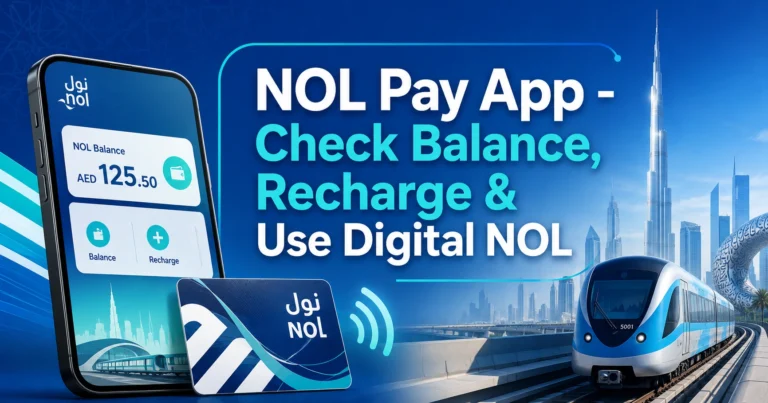
The nol Pay app is one of the most convenient ways to manage your NOL card on a smartphone. It is useful for users who regularly check card balance, recharge their card, register a card, or review recent card activity.
Follow these steps:
- Open the nol Pay app on your phone.
- Sign in or create an account.
- Add your NOL card if it is not already linked.
- Go to the card management or balance section.
- Select your card.
- Tap transaction history, balance history, or similar option.
- Choose a date range if the option is available.
- Review your trips, top-ups, and balance changes.
Some app features may work better when your card is registered or linked to your account. Phones with NFC can also make card reading easier, depending on device compatibility.
When the nol Pay App Is the Best Option
The nol Pay app is best for users who manage their card often. It is also helpful if you want to recharge your card and check whether the top-up was added.
Use the nol Pay app if you want to:
- Check balance on your phone
- Review recent NOL card transactions
- Recharge your NOL card
- Add or manage registered cards
- Use NFC card services
- Track card activity more often
- Manage multiple cards in one place
If you are a daily commuter in Dubai, this is usually more practical than checking through a vending machine.
How to View NOL Transaction History on the RTA Dubai App
The RTA Dubai app is different from the nol Pay app. It covers a wider range of RTA services, including transport, licensing, parking, and account-based services.
Follow these steps:
- Open the RTA Dubai app.
- Sign in using your RTA account or UAE Pass if available.
- Go to the public transport or NOL services section.
- Add or select your NOL card.
- Choose balance history or transaction history.
- Select the date range you want to review.
- Check your card activity details.
This method is useful if you already use the RTA Dubai app for other services. It keeps several transport-related services in one place.
How to Check NOL History at Metro Stations
You can also check recent NOL card activity at Dubai Metro stations. This is helpful if you do not want to use the website or app.
You can use:
- Ticket vending machines
- Ticket office counters
- Customer service desks at selected stations
Follow these steps at a vending machine:
- Go to a Dubai Metro station.
- Find a ticket vending machine.
- Place your NOL card on the card reader.
- Select check balance or card information.
- Look for recent transaction or card activity options.
- Review the available records on screen.
This method may show limited recent activity only. For a longer date range, the online service or app is usually better.
Can You Check NOL Card Transaction History by SMS?
SMS is mainly useful for checking your current NOL card balance. It is not the best method for viewing full NOL Card Transaction History with detailed travel records, top-ups, locations, and date filters.
Some users search for NOL card history by SMS because they want a quick answer without internet. However, SMS balance services usually provide limited information compared with the RTA website or app.
Use SMS when you only need:
- Current balance
- Basic card status
- Quick balance confirmation
Use the RTA website, nol Pay app, or RTA Dubai app when you need:
- Travel history
- Fare deductions
- Top-up records
- Refund details
- Date range filtering
- Proof for a complaint or dispute
Best Ways to Check NOL Card Transaction History
Different methods work better for different users. The best option depends on whether you need a quick check, full records, or physical support.
| Method | Best For | Main Benefit | Limitation |
|---|---|---|---|
| RTA website | Online history check | Works without visiting a station | Requires correct card details |
| nol Pay app | Regular card management | Easy mobile access and card services | Some features may need login or NFC |
| RTA Dubai app | Users with RTA account | Combines several RTA services | May require sign-in |
| Ticket vending machine | Station-based quick check | Useful before travel | Usually limited history |
| Ticket office | Support and card issues | Human assistance available | Requires visiting a station |
| SMS | Quick balance check | Works without app | Not suitable for full transaction history |
For most users, the RTA website is best for a one-time check. The nol Pay app is better if you check history and recharge regularly.
How Far Back Can You Check NOL Card Transaction History?
The available history can depend on the card type, registration status, service channel, and date range selected. Registered cards usually offer better access than anonymous cards because they are linked to a user account.
If your card is not registered, you may only see limited activity. Registering your card can improve access to card services and provides better protection if the card is lost or stolen.
For best results:
- Register your NOL card
- Link it to your account where possible
- Use the same account consistently
- Download or save records when needed
- Do not wait too long before checking old transactions
If you need history for a complaint, refund, or fine dispute, check it as early as possible while the activity is still easy to find.
When You May Need NOL Card Transaction History
NOL Card Transaction History is useful in several real-life situations in Dubai. It is not only for checking travel expenses.
Wrong Fare Deduction
Sometimes a fare may look higher than expected. This can happen if you missed tap-out, changed zones, used multiple transport modes, or travelled during a route combination you did not understand.
Your transaction history helps you check the date, time, location, and amount deducted. This makes it easier to understand the fare or raise a complaint if something looks incorrect.
Pending or Missing Recharge
Online top-ups may not always appear instantly on the card. In some cases, the balance needs to be activated by using the card at a metro gate, parking meter, vending machine, or supported device.
Checking transaction history helps you confirm whether the top-up was processed, pending, or not yet reflected.
Refund or Balance Adjustment
If you requested a refund, replacement, cancellation, or balance transfer, your transaction history may help you track changes to the card balance. This is useful when you want to confirm that the amount was adjusted correctly.
Public Transport Fine Dispute
NOL transaction records can support a fine dispute if the issue is connected to card usage, fare payment, or travel validation. For example, your history may help show that you tapped in, had balance, or used the card around the time of the incident.
Keep screenshots or downloaded records if you plan to submit a complaint or dispute.
Office Reimbursement
Some UAE employees use Dubai Metro, buses, or tram services for work-related trips. NOL Card Transaction History can help separate personal and business travel, especially when the company asks for proof.
Monthly Travel Budgeting
If you use public transport daily, your history helps calculate how much you spend each month. This can help you decide whether a travel pass or different top-up routine makes more sense.
Why Your NOL Card Transaction History May Not Be Showing
Sometimes NOL Card Transaction History may not load or may show incomplete records. This does not always mean your card has a serious issue.
Common reasons include:
- Wrong NOL Tag ID entered
- Temporary RTA service issue
- Internet connection problem
- Recent transaction not updated yet
- Card is not registered
- Date range selected incorrectly
- App cache or login issue
- NFC reading problem on mobile
- Card is damaged or unreadable
- Old records are no longer available
Try checking again after some time. If the issue continues, use another method such as the RTA website, nol Pay app, vending machine, or ticket office.
What to Do If Your Top-Up Is Not Showing
A missing top-up is one of the most common NOL card issues. In many cases, the payment was made, but the balance has not yet been activated on the card.
Try these steps:
- Check your payment confirmation.
- Wait for the normal processing period.
- Tap your card at a metro gate, vending machine, parking meter, or supported device.
- Check your NOL Card Transaction History again.
- Confirm whether the top-up appears as pending or completed.
- Contact customer support if the amount still does not appear.
Keep your payment receipt or transaction reference until the balance is confirmed on your card.
What to Do If You See a Wrong Fare Deduction
If you think the wrong amount was deducted, do not recharge immediately without checking the details. First review your NOL Card Transaction History and compare it with your actual trip.
Check:
- Date and time of travel
- Tap-in and tap-out locations
- Transport mode used
- Number of zones crossed
- Previous card balance
- Final deducted amount
- Any missed checkout or incomplete journey
If the deduction still looks incorrect, keep a screenshot of the transaction and raise a complaint through the available RTA support channel.
Tips for Managing Your NOL Card History
Good card management can prevent many common balance and travel issues. A few small habits can save time when you need proof later.
Use these tips:
- Register your NOL card for better protection
- Check transaction history after large top-ups
- Review deductions if your balance drops unexpectedly
- Save monthly records if you claim travel expenses
- Keep recharge receipts until the balance appears
- Use the app if you check your card often
- Check the date range carefully before assuming records are missing
- Do not share your NOL card details with unknown websites
- Visit a ticket office if your card number is unreadable
- Report lost registered cards quickly to protect remaining balance
These steps are especially useful for daily Dubai commuters who rely on NOL for metro, bus, tram, and marine transport.
Common Mistakes to Avoid
Many users make simple mistakes when checking NOL Card Transaction History. Avoiding these mistakes can help you get accurate results faster.
Do not:
- Enter the wrong card number or Tag ID
- Assume SMS gives full travel history
- Ignore pending top-up delays
- Wait too long before checking disputed trips
- Use unofficial forms that ask for unnecessary personal data
- Confuse balance check with transaction history
- Forget to register the card
- Throw away recharge receipts before confirmation
- Assume every deduction is wrong without checking zones
If the record does not appear, try a different official channel before assuming the transaction is missing.
NOL Card History for Registered vs Anonymous Cards
Registered NOL cards are better for users who want stronger card protection and improved access to services. Anonymous cards are easier to buy, but they offer fewer account-linked benefits.
| Feature | Registered NOL Card | Anonymous NOL Card |
|---|---|---|
| Transaction access | Better access through account-linked services | May be limited |
| Lost card protection | Balance protection may be available | Limited protection |
| Refund support | Easier to manage | More restricted |
| Account linking | Available | Not fully linked |
| Best for | Daily commuters and residents | Short-term or casual users |
If you use public transport often, registering your card is a smart step. It helps with history access, balance protection, and service requests.
NOL Card Transaction History for Tourists in Dubai
Tourists often use NOL cards for Dubai Metro, tram, bus, and water transport. Checking transaction history helps visitors understand how much they spent and where their balance went.
This is useful when:
- You are visiting Dubai for a few days
- You are using a Silver NOL card for sightseeing
- You want to track daily transport costs
- You are unsure why your balance dropped
- You need to check if a recharge worked
Tourists should keep the physical card safe and note the card number. If the card is lost and not registered, recovering balance or checking complete history may be difficult.
Quick Checklist Before Checking NOL Card Transaction History
Before you start, make sure you have everything ready. This avoids failed searches and repeated attempts.
| Requirement | Why It Matters |
|---|---|
| NOL card | Needed to find the correct Tag ID or card number |
| Internet connection | Required for website and app methods |
| Registered account | Helpful for better card access |
| Correct date range | Helps find specific travel or top-up records |
| Payment receipt | Useful if checking a missing recharge |
| Screenshot option | Helpful for refunds, complaints, or fine disputes |
If you are checking a specific issue, write down the journey date, station, route, and expected fare before reviewing the history.
FAQs
How do I check NOL Card Transaction History online?
You can check NOL Card Transaction History through the RTA online NOL services page by entering your card Tag ID or required card details. After verification, the system shows your recent travel records, recharge activity, deductions, and balance changes. Use date filters to find a specific trip or top-up.
Can I check NOL Card Transaction History on my phone?
Yes, you can check NOL Card Transaction History on your phone using the nol Pay app or RTA Dubai app. After signing in and linking your card, open the card section and choose transaction history or balance history. This is useful for daily commuters who check records often.
Does NOL Card Transaction History show every Dubai Metro trip?
NOL Card Transaction History can show Dubai Metro trips, bus journeys, tram rides, marine transport usage, top-ups, and balance changes. The visible details may depend on your card type, registration status, and selected date range. Registered cards usually provide better access than anonymous cards.
Why is my NOL Card Transaction History not showing?
Your NOL Card Transaction History may not show because of a wrong Tag ID, temporary service issue, incorrect date range, app login problem, or delayed transaction update. If the record is recent, check again later. You can also try the RTA website, nol Pay app, or a metro station machine.
Can I use NOL Card Transaction History for a fine dispute?
Yes, NOL Card Transaction History can help support a public transport fine dispute if the issue relates to card usage, balance, tap-in, tap-out, or fare payment. Save screenshots or records showing the date, time, and transaction details before submitting your complaint or dispute request.
Why is my NOL top-up not appearing in transaction history?
A NOL top-up may not appear immediately if the recharge is still pending or has not been activated on the card. Check your payment confirmation, wait for processing, then tap your card at a supported device or metro gate. Review NOL Card Transaction History again afterward.
What is the difference between NOL balance and transaction history?
NOL balance shows the amount currently available on your card. NOL Card Transaction History shows how that balance changed through trips, top-ups, refunds, deductions, and adjustments. Use balance check before travelling, and use transaction history when reviewing spending, wrong fares, or recharge issues.
Can tourists check NOL Card Transaction History in Dubai?
Tourists can check NOL Card Transaction History if they have the required card details and use available RTA channels. This helps visitors track metro, bus, tram, and marine transport spending during their trip. Keeping the card safe is important because anonymous cards offer limited recovery options.