NOL Card Recharge Online 2026 – Top-Up Instantly

Recharging your NOL card in Dubai is quick and easy through the NOL Pay app, RTA online services, Metro machines, ticket counters, and approved retail outlets.
NOL card recharge means adding balance to your NOL card so you can continue using the Dubai Metro, Tram, public buses, marine transport, parking meters, and selected RTA-linked payment services.
The process is also called NOL card top-up. You can recharge online, through mobile apps, at Metro stations, through ticket machines, at retail outlets, or with cash at approved service points across Dubai.
For most daily commuters, a regular NOL Card Balance Check is essential because you need a minimum travel balance before starting a journey. A low NOL balance can stop you at the Metro gate, delay your bus trip, or create problems when paying for RTA parking.
What Is the Best Way to Recharge a NOL Card?
The fastest way to recharge a NOL card is usually the NOL Pay app if your phone supports NFC. It allows you to scan the physical card, pay online, and update the balance through the phone.
For users who prefer cash or instant offline top-up, Metro ticket vending machines are the easiest option. They are available at Dubai Metro stations and update your card balance immediately after payment.
For online recharge without visiting a station, the RTA website, RTA Dubai app, S’hail app, DubaiNow, and Mahboub chatbot can be used. However, online top-ups may need activation before the balance becomes usable.
NOL Card Recharge Methods in Dubai
Dubai offers several official and convenient ways to top up a NOL card. Some methods are instant, while others require the card to sync with RTA systems before the balance appears.
| Recharge Method | Payment Type | Activation Speed | Best For |
|---|---|---|---|
| NOL Pay app | Card or digital payment | Usually instant with NFC | Fast mobile top-up |
| RTA website | Debit or credit card | 45 minutes to 4 hours | Online recharge from anywhere |
| RTA Dubai app | Debit or credit card | 45 minutes to 4 hours | RTA account users |
| Ticket vending machine | Cash or card | Instant | Metro and Tram users |
| Ticket office | Cash or card | Instant | Users needing staff help |
| Retail outlets | Cash or card | Usually instant | Shopping or fuel station top-up |
| Bank apps | Bank account or card | Varies by bank | Selected UAE bank users |
| Auto top-up | Linked bank card | Automatic | Frequent commuters |
NOL Card Recharge Minimum Balance and Limits
Before recharging, it helps to understand minimum top-up amounts and card balance limits. These limits can change based on the channel you use and the type of NOL card you hold.
| Recharge Channel | Minimum Recharge | Maximum Per Transaction | Balance Update |
|---|---|---|---|
| RTA website | AED 5 | AED 150 | Needs activation |
| NOL Pay app | AED 5 | AED 150 | Instant with NFC |
| RTA Dubai app | AED 5 | AED 150 | Needs activation |
| Mahboub or DubaiPay | Usually AED 30 | AED 150 | Needs activation |
| Metro ticket vending machine | AED 20 | Depends on machine limit | Instant |
| Metro ticket office | AED 50 | Depends on card limit | Instant |
| Solar top-up machine | AED 20 | Depends on machine limit | Instant |
| Retail outlets | Usually AED 20 | Depends on outlet | Usually instant |
Anonymous Silver and Gold NOL cards can hold up to AED 1,000. Registered or personalized cards linked with the Emirates ID can hold up to AED 5,000.
You should also keep at least AED 7.50 on your NOL card before starting a normal journey. Gold Class users should keep more balance because fares are higher.
How Long Does NOL Card Recharge Take?
NOL card recharge time depends on the method used. Offline top-ups at vending machines, ticket counters, and many retail outlets are usually updated instantly.
Online top-ups through the RTA website, RTA Dubai app, S’hail app, DubaiNow, or Mahboub may take 45 minutes to 4 hours. The payment may be successful, but the balance can stay pending until the physical card is tapped at an activation point.
You can activate a pending NOL recharge by tapping the card at:
- Dubai Metro gate
- RTA bus validator
- Tram gate or validator
- RTA parking machine
- Solar top-up machine
- Ticket vending machine
- NOL Pay app using NFC
If your recharge is still not visible after 4 hours, try tapping the card at a Metro gate or vending machine first. If the balance still does not update, contact RTA support with your transaction details.
How to Recharge NOL Card Online Through RTA Website
The RTA online top-up service is useful when you want to recharge your card from home, office, hotel, or abroad. It works with the NOL Tag ID printed on the back of your card.
Steps to Recharge NOL Card Online
- Open the NOL card top-up service on the RTA platform.
- Enter your 10-digit NOL Tag ID.
- Choose the recharge amount.
- Enter your email or mobile details if required.
- Pay with a debit or credit card through the payment gateway.
- Save the confirmation message or transaction number.
- Activate the balance by tapping your card at a Metro gate, parking machine, bus validator, or other supported reader.
Online recharge is convenient, but it is not always instant. Plan ahead if your card balance is very low and you need to travel immediately.
How to Recharge NOL Card Using the NOL Pay App
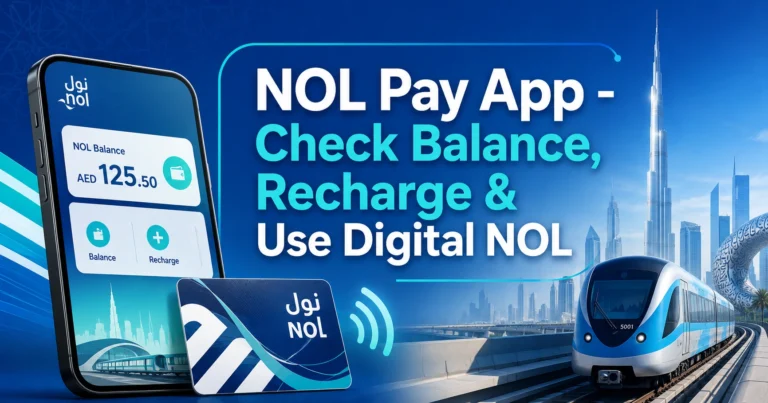
The NOL Pay app is one of the most practical ways to recharge a physical NOL card because it uses NFC scanning. This means your phone can read and update the card directly.
Steps to Top Up Through NOL Pay
- Install and open the NOL Pay app.
- Enable NFC on your smartphone.
- Place your NOL card against the back of your phone.
- Select the top-up option.
- Choose the recharge amount.
- Complete the payment.
- Keep the card on the phone until the update is finished.
The main advantage of NOL Pay is instant balance update when NFC works properly. It is especially helpful for residents, workers, students, and daily Metro users who do not want to queue at machines.
Common NOL Pay NFC Issues
NFC top-up may fail if the card is removed too early or placed in the wrong area of the phone. Some phone covers can also interfere with scanning.
Try these fixes:
- Turn on NFC from phone settings.
- Remove thick phone covers.
- Place the card slowly against the phone’s NFC area.
- Do not move the card during the update.
- Try again after closing and reopening the app.
- Use a Metro vending machine if your phone does not support NFC.
How to Recharge NOL Card Using the RTA Dubai App
The RTA Dubai app is useful for users who already manage transport services through an RTA account. It supports NOL card top-up, balance checking, and other transport-related services.
Steps to Recharge Through RTA Dubai App
- Open the RTA Dubai app.
- Sign in if required.
- Go to public transport or NOL services.
- Choose NOL card top-up.
- Enter your NOL Tag ID.
- Select the recharge amount.
- Complete payment with your card or supported digital payment option.
- Activate the balance by tapping the card at a supported reader.
This method is good for users who want an official mobile option but do not need NFC-based instant update.
How to Recharge NOL Card at Ticket Vending Machines
Ticket vending machines are available at Dubai Metro stations, Tram stations, and selected bus stations. They are one of the easiest offline methods because the recharge is instant.
Steps to Recharge at a Machine
- Insert or tap your NOL card on the machine.
- Select the top-up or recharge option.
- Choose the amount.
- Pay by cash or bank card.
- Confirm the transaction.
- Wait for the machine to update your balance.
- Take your receipt if needed.
The minimum recharge at Metro ticket vending machines is AED 20. This method is ideal when you need to travel immediately and do not want to wait for online activation.
How to Recharge NOL Card at Metro Ticket Offices
Metro ticket offices are staffed counters where RTA agents can help with recharge, balance checking, and basic card problems.
The minimum NOL card recharge at a staffed Metro ticket office is usually AED 50. The balance updates instantly after payment, so you can use the card right away.
This method is useful if:
- Your card is not working at a machine
- You are unsure about the correct top-up method
- You need help with a pending balance
- You want to pay cash
- You are a tourist using the Metro for the first time
How to Recharge NOL Card with Cash
Cash top-up is still widely available across Dubai. Many residents, workers, visitors, and students prefer this option because it does not require a bank card, online account, or UAE Pass.
Cash Recharge Locations
You can recharge with cash at:
- Metro ticket vending machines
- Metro ticket offices
- Selected bus stations
- Solar-powered top-up machines
- Authorized retail outlets
- Some supermarkets and convenience stores
- Fuel station stores such as Zoom, ENOC, and EPPCO branches
Cash recharge is usually instant at machines and counters. Always check the updated balance before leaving the machine or counter.
How to Recharge NOL Card at Retail Outlets
Many approved retail partners across Dubai provide NOL card recharge services. These locations are useful when you are shopping, refueling, or far from a Metro station.
Common NOL recharge outlets include:
- Zoom stores
- ENOC and EPPCO fuel stations
- Carrefour branches
- Lulu outlets
- Aswaaq stores
- Selected convenience stores
- Other approved NOL sales agents
Retail recharge is helpful for people living in residential areas where Metro stations are not nearby. Ask the cashier for NOL top-up, provide your card, pay the amount, and confirm the updated balance before leaving.
Can You Recharge NOL Card Through Bank Apps?
Some UAE bank apps and card products may support NOL recharge or transport-linked top-up features. Availability depends on the bank, account type, card type, and service updates.
Bank-based recharge is useful for users who prefer managing transport payments through mobile banking. However, processing time can vary, so it may not be the best choice when you need immediate travel balance.
Before using a bank app, check:
- Whether NOL top-up is supported
- Minimum and maximum recharge amount
- Processing time
- Payment confirmation
- Refund or failed transaction rules
- Whether activation is required after payment
NOL Card Auto Top-Up
Auto top-up helps frequent commuters avoid running out of balance. Once activated through a supported bank or card product, your NOL balance can be recharged automatically when it drops below a set amount.
Benefits of Auto Top-Up
- Reduces risk of failed Metro or bus entry
- Useful for daily work commutes
- Saves time at vending machines
- Helps students and office workers maintain balance
- Adds convenience for users who travel across zones often
Auto top-up is not available for every NOL card or every bank customer. Check eligibility with your bank or transport card provider before relying on it.
NOL Card Recharge for Tourists in Dubai
Tourists usually need a simple and quick recharge method. The best options are ticket vending machines, Metro ticket counters, and retail outlets.
Tourists should avoid waiting until the card balance reaches zero. Keep extra balance if you plan to use the Metro, Tram, bus, water transport, or paid parking during your stay.
Best Recharge Options for Tourists
| Tourist Need | Best Recharge Method |
|---|---|
| Immediate Metro travel | Ticket vending machine |
| Cash payment | Ticket office or vending machine |
| Staff guidance | Metro ticket office |
| Near hotel or supermarket | Retail outlet |
| NFC phone available | NOL Pay app |
| Online top-up before travel | RTA website |
For short visits, recharge only what you expect to use. For longer stays, a Silver NOL card is usually better than repeatedly buying short-use paper tickets.
Can You Recharge a Red Ticket Online?
A Red Ticket is different from Silver, Gold, and Blue NOL cards. It is a paper-based ticket mainly used for limited trips and short-term travel.
You cannot manage it like a normal stored-value NOL card. Red Ticket recharge or trip loading is usually done at Metro ticket vending machines or ticket offices.
For frequent travel, a Silver NOL card is more practical because it supports easier top-up, wider use, and better long-term value.
NOL Card Recharge for Students and Regular Commuters
Students and regular commuters should recharge before peak travel hours to avoid queues. Morning rush and evening rush can be busy at Metro stations, especially around business areas and interchanges.
Useful tips for daily users:
- Keep more than AED 7.50 before leaving home.
- Recharge before weekends or public holidays.
- Use NOL Pay if your phone supports NFC.
- Register your card if you keep high balance.
- Check your balance after long trips across multiple zones.
- Keep a screenshot or SMS of online payment confirmation.
Students using discounted cards should also monitor card validity and concession status. If the card expires or concession status changes, fare deductions may change.
Online vs Offline NOL Card Recharge
Both online and offline recharge methods work, but the best choice depends on your situation.
| Feature | Online Recharge | Offline Recharge |
|---|---|---|
| Convenience | High | Medium |
| Requires internet | Yes | No |
| Requires card reader activation | Often yes | No |
| Best for urgent travel | Only NOL Pay with NFC | Yes |
| Payment methods | Card and digital payment | Cash or card |
| Best for tourists | Sometimes | Yes |
| Best for daily commuters | Yes | Yes |
| Risk of pending balance | Higher | Lower |
Choose online recharge when you have time before travel. Choose offline recharge when you need the balance instantly or prefer cash.
Why Is My NOL Card Recharge Pending?
A pending NOL card recharge means your payment has been accepted, but the value has not yet been written onto the physical card.
This happens because a NOL card stores balance data on the card chip. Online systems need the card to touch a reader before the new amount becomes available for travel.
How to Activate Pending NOL Balance
Tap your card at one of these points:
- Metro gate
- Bus validator
- Tram validator
- Parking payment machine
- Ticket vending machine
- Solar top-up machine
- NFC scanner in NOL Pay app
If you paid online and immediately try to board a bus without activation, the new balance may not be available yet. Activate it first whenever possible.
NOL Card Recharge Not Showing: Problems and Fixes
Recharge problems are common, especially with online payments, NFC scanning, wrong card numbers, or delayed activation.
| Problem | Possible Reason | Solution |
|---|---|---|
| Payment completed but balance not updated | Pending activation | Tap card at Metro gate or machine |
| Wrong balance after online top-up | Card not synced | Wait up to 4 hours and activate |
| NFC not detecting card | Phone placement issue | Enable NFC and reposition card |
| Machine rejects card | Damaged or dirty chip | Clean card and try again |
| Payment failed | Bank or gateway issue | Retry or use another card |
| Wrong NOL Tag ID entered | User input error | Check card number carefully |
| Balance deducted incorrectly | Missed checkout or fare adjustment | Check travel history and contact support |
Keep your transaction reference until the recharge appears. It is useful if you need to raise a complaint or request support.
How to Check NOL Card Balance After Recharge
After recharging, always confirm that the balance is available before starting a trip. This is especially important if you paid online.
You can check your NOL balance through:
- NOL Pay app
- RTA Dubai app
- RTA online balance enquiry
- Ticket vending machines
- Metro ticket counters
- Bus or Metro gate display after tapping
- Parking machines
- Supported SMS balance service, where available
If you recently topped up online, the displayed balance may not change until activation. Use a physical reader or NFC update to confirm the final balance.
NOL Card Recharge Fees and Refund Notes
Most standard NOL card recharge transactions do not require an extra top-up fee when using official channels. However, refund, reversal, or service-related requests may have separate charges depending on the case.
Before requesting a refund, check:
- Your card type
- Remaining balance
- Whether the card is registered
- Transaction amount
- Refund channel
- Processing time
- Applicable service charge
For large balances, registering your card is safer because it can help with balance protection if the card is lost or damaged.
Where Can You Use Recharged NOL Balance?
A recharged NOL card is not only for Metro travel. Dubai’s NOL system is connected with several transport and non-transport services.
You can use NOL balance for:
- Dubai Metro
- Dubai Tram
- RTA public buses
- Marine transport where accepted
- RTA paid parking machines
- Selected taxis or transport-linked services where supported
- Approved retail and payment partners
- Some public facilities and attractions where NOL payment is accepted
Acceptance can vary by merchant and location. For transport use, NOL remains one of the most important payment tools in Dubai.
Best Practices for Hassle-Free NOL Card Recharge
A few simple habits can prevent most recharge problems.
Follow these tips:
- Recharge before your balance becomes too low.
- Keep at least AED 7.50 for standard travel.
- Use NOL Pay for fast NFC-based updates.
- Use vending machines when you need instant offline recharge.
- Double-check the 10-digit NOL Tag ID for online top-up.
- Keep payment confirmation until balance appears.
- Do not bend, scratch, or damage the card chip.
- Register your card if you keep a high balance.
- Avoid last-minute online top-up before boarding.
- Check balance after recharging through any delayed channel.
Which NOL Recharge Method Should You Choose?
The best NOL card recharge method depends on speed, payment preference, location, and card type.
| User Type | Recommended Method | Reason |
|---|---|---|
| Daily Metro commuter | NOL Pay or vending machine | Fast and reliable |
| Tourist | Ticket vending machine or ticket office | Simple and instant |
| Cash user | Ticket office, machine, or retail outlet | No bank card needed |
| Office worker | NOL Pay or auto top-up | Saves time |
| Student | NOL Pay or Metro machine | Easy regular top-up |
| Low phone battery | Vending machine or ticket office | No app required |
| No NFC phone | RTA website or offline machine | Works without NFC |
| Urgent travel | Vending machine or ticket office | Instant update |
For most users, keeping two options in mind is best: NOL Pay for mobile top-up and ticket machines for backup.
FAQ
What is the minimum amount for NOL card recharge in Dubai?
The minimum NOL card recharge amount depends on the channel. Online top-up can start from AED 5, while Metro ticket vending machines usually require AED 20. Staffed Metro ticket offices commonly require AED 50. Always check the selected channel before payment because limits may vary.
How long does NOL card recharge take to show?
NOL card recharge through ticket machines, ticket offices, and many retail outlets is usually instant. Online recharge through apps or website services may take 45 minutes to 4 hours and often requires activation by tapping the card at a Metro gate, bus validator, parking machine, or supported reader.
Why is my NOL card recharge not reflecting after payment?
Your NOL card recharge may be pending because the new balance has not synced with the card chip. Tap the card at a Metro gate, bus validator, parking meter, ticket machine, or NOL Pay NFC scanner. Keep your transaction reference if the balance still does not update.
Can I recharge my NOL card without going to a Metro station?
Yes, you can recharge your NOL card without visiting a Metro station by using online services, the RTA Dubai app, NOL Pay app, S’hail, DubaiNow, or supported bank apps. However, some online top-ups still require activation before the balance becomes usable for travel.
Is NOL Pay better than normal online recharge?
NOL Pay is often better for users with NFC-enabled phones because it can update the physical card directly. Normal online NOL card recharge is convenient, but the balance may stay pending until activation. If NFC works properly, NOL Pay is usually faster for urgent top-ups.
Can I recharge someone else’s NOL card?
Yes, you can recharge another person’s NOL card if you have the card or the correct NOL Tag ID. Online top-up can be done with the card number, while offline recharge needs the physical card at a machine, ticket office, or retail outlet.
What should I do if I entered the wrong NOL Tag ID?
If you entered the wrong NOL Tag ID during NOL card recharge, keep the payment confirmation and contact RTA support as soon as possible. Do not repeat the payment immediately without checking the transaction status. Always verify the 10-digit card number before submitting online payment.
Can I recharge a Red Ticket like a normal NOL card?
No, a Red Ticket does not work like a normal stored-value Silver, Gold, or Blue NOL card. It is mainly used for limited trips and must be loaded through ticket machines or ticket offices. For regular travel, a rechargeable NOL card is more practical.