NOL Card Balance Transfer – Move Balance to Another NoI Card
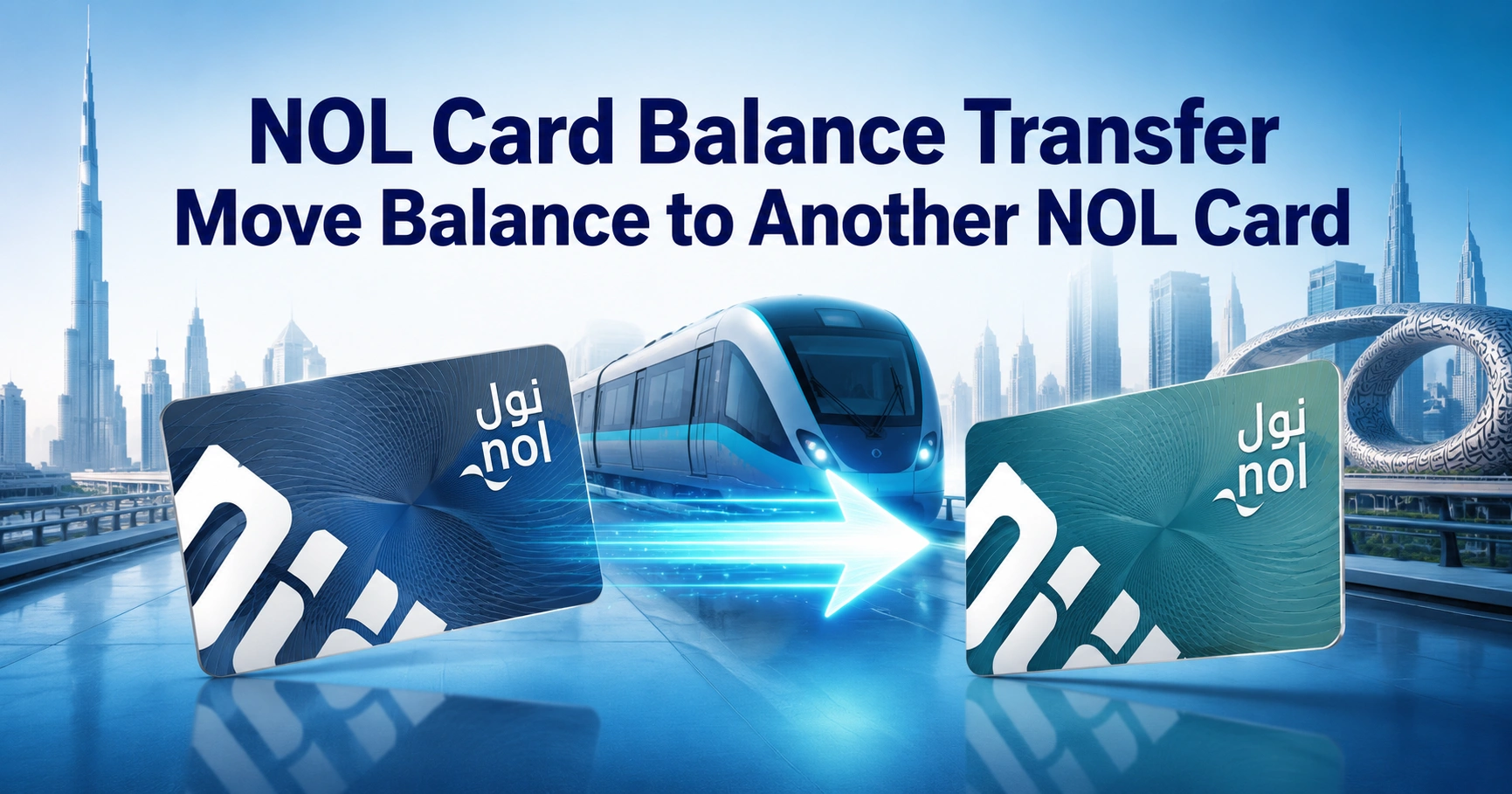
NOL card balance transfer means moving the remaining balance from one eligible NOL card to another card through RTA-approved channels. In most cases, this service is used when your old card is lost, damaged, expired, faulty, cancelled, or no longer suitable for daily travel.
Many users search for NOL to NOL transfer because they want a quick way to recover unused balance. The important point is that RTA usually handles this as a balance refund or recovery request, where the approved amount is transferred to an alternative registered or personal NOL card.
This guide explains how NOL card balance transfer works, who can use it, which cards are eligible, how to apply through online and app channels, how long it takes, and what to do if the transferred balance does not appear.
Can You Transfer NOL Card Balance to Another Card?
Yes, you can transfer NOL card balance to another eligible NOL card, but it is not the same as casually sending credit to any card at any time. The balance transfer is normally processed through the NOL refund service when the original card has a valid refund reason.
This includes situations such as a lost card, stolen card, damaged card, expired card, faulty card, cancelled card, or pending top-up balance. The receiving card usually needs to be a registered or personal NOL card so the balance can be safely linked and activated.
What NOL Card Balance Transfer Actually Means
NOL card balance transfer is a recovery option that allows you to move an approved remaining balance from one card to another. Instead of taking cash, you can choose to receive the value on another NOL card.
This is useful if you are still using Dubai Metro, buses, tram, marine transport, taxis, or parking services. It lets you keep your travel balance inside the NOL system instead of applying for a cash refund.
When NOL Card Balance Transfer Is Allowed
NOL balance transfer is mainly available when there is a valid reason to recover or refund the balance from the original card.
Common eligible cases include:
- Lost NOL card
- Stolen NOL card
- Damaged NOL card
- Faulty NOL card
- Expired NOL card
- Cancelled NOL card
- Non-activated online top-up balance
- Balance remaining on a card you no longer use
- Eligible balance from a registered or personal card
If both cards are active and you simply want to manage funds between family members, the availability may depend on card type, app support, and RTA system rules at the time of request. For most users, the safest approach is to use the official balance refund and transfer process.
NOL Card Balance Transfer Eligibility
Not every NOL card supports balance recovery or transfer. Registered and personal cards are much safer because the balance is linked to your identity or account details.
| NOL Card Type | Balance Transfer Eligibility | Important Notes |
|---|---|---|
| Blue Personal NOL Card | Yes | Best option for balance protection and recovery |
| Registered Silver Card | Yes | Must be registered before balance recovery |
| Registered Gold Card | Yes | Suitable for transfer to another eligible card |
| Anonymous Silver Card | Limited | Balance protection is weaker if not registered |
| Anonymous Gold Card | Limited | May not qualify in the same way as registered cards |
| Student NOL Card | Usually eligible with conditions | Personal details may be required |
| Senior Citizen or People of Determination Card | Usually eligible with conditions | Cardholder details must match eligibility rules |
| Corporate NOL Card | Special conditions | Company or account rules may apply |
| Red Ticket | Usually not eligible | Designed for short-term travel use |
| Bank-issued NOL Card | Special case | Some cases may require bank-related handling |
NOL Card Balance Transfer Requirements
Before applying, prepare the basic information and make sure the receiving card is valid. This avoids delays and rejected requests.
You may need:
- NOL Tag ID of the old card
- A valid receiving NOL card
- UAE Pass or RTA account access
- Mobile number linked to the application
- Emirates ID or passport details in some cases
- Reason for balance transfer or refund
- NFC-enabled phone if using nol Pay card scanning
- Access to the physical card if it is not lost
The NOL Tag ID is the unique card number printed on the back of the card. If the card is lost, use any saved card details, account records, app history, or previous registration information linked to your NOL account.
How to Transfer NOL Card Balance Online
You can apply for NOL card balance transfer through RTA digital services. This method is suitable if your card is lost, expired, damaged, faulty, or cancelled.
Step-by-Step Process
- Log in using UAE Pass or your RTA account.
- Open the NOL card services section.
- Choose the refund or NOL card balance refund option.
- Enter the NOL Tag ID of the old card.
- Select the reason for the request.
- Choose balance transfer instead of cash refund.
- Enter or scan the alternative NOL card details.
- Review the card information carefully.
- Submit the request.
- Wait for the approval SMS.
- Activate the approved balance on the receiving card.
After approval, the transferred amount does not always appear instantly. You may need to tap or insert the receiving card at a supported device so the balance can be written onto the card.
How to Transfer NOL Balance Using nol Pay App
The nol Pay app is one of the easiest options if your phone supports NFC. NFC allows your phone to read the NOL card when you place the card near the back of the device.
Steps to Use nol Pay for Balance Transfer
- Turn on NFC on your smartphone.
- Open the nol Pay app.
- Log in with UAE Pass.
- Select the NOL card balance refund or transfer option.
- Place the old NOL card on the NFC area of your phone.
- Select the reason for the balance transfer.
- Choose transfer to another NOL card.
- Place the receiving card on the NFC area.
- Confirm the request details.
- Wait for SMS confirmation.
- Activate the transferred balance after approval.
If NFC does not read the card, remove thick phone covers, avoid metal cases, and move the card slowly around the back of your phone. Different phones have the NFC reader in different positions.
How to Check If Your Phone Supports NFC
Open your phone settings and search for “NFC.” If the option appears, turn it on before using nol Pay.
Most recent Android phones support NFC. Many iPhone models also support NFC, but app-based card reading may depend on app compatibility, iOS version, and regional support.
NOL Balance Transfer at Ticket Machines and Metro Stations
Some NOL card services can be completed or activated through ticket vending machines, ticket office machines, Metro stations, and supported RTA devices. Availability may vary depending on the card type and request reason.
Use these channels when:
- Your phone does not support NFC
- The app cannot read your card
- You need help with card activation
- The transferred balance is approved but not showing
- You prefer using a station-based machine
- You want staff guidance at a service counter
For complex cases such as lost cards, damaged cards, blocked cards, corporate cards, or special card categories, in-person support may be more reliable.
NOL Card Balance Transfer Through Customer Happiness Centers
RTA Customer Happiness Centers can help when your case cannot be completed through the app or online services. This is useful if there is a card issue, registration mismatch, blocked card, or technical error.
Bring the following if available:
- Old NOL card
- Receiving NOL card
- Emirates ID or passport
- Mobile number linked to the card
- Any SMS or reference number
- Proof of registration if required
Staff can check card status, guide you through the refund or transfer process, and explain whether your card type qualifies for balance recovery.
How Long Does NOL Card Balance Transfer Take?
NOL card balance transfer is not always instant. For refund-based balance transfer requests, processing commonly takes a few working days.
| Stage | Expected Timing | What Happens |
|---|---|---|
| Application submission | Same day | You submit the request online, through app, or service channel |
| Request processing | Around 4 working days | The card and balance are reviewed |
| Approval SMS | After processing | You receive confirmation on the registered mobile number |
| Balance activation | Usually after card tap or insertion | The amount is written to the receiving card |
| Activation validity | Limited period after approval | Activate before the approval window expires |
If your balance does not appear immediately after approval, tap the receiving card at a Metro gate, parking machine, supported vending machine, bus device, or through nol Pay where available.
NOL Card Balance Transfer Fees
NOL card balance transfer is generally free when the approved balance is moved to another eligible NOL card. Cash refunds may have charges depending on the amount and refund method.
| Service Type | Fee | Best For |
|---|---|---|
| Balance transfer to another NOL card | Free | Users who still travel in Dubai |
| Cash refund | Fee may apply | Users who no longer need a NOL card |
| Lost card replacement | Replacement charge may apply | Users who want a new card issued |
| Card activation after transfer | Usually free | Required to load approved balance |
Choosing balance transfer is often better than cash refund if you regularly use Dubai public transport. It avoids cash refund charges and keeps the value ready for future travel.
NOL Card Balance Transfer vs NOL Refund
Many users confuse balance transfer with refund. Both are connected, but the result is different.
| Feature | NOL Balance Transfer | NOL Cash Refund |
|---|---|---|
| Main purpose | Move approved balance to another NOL card | Receive remaining balance as cash |
| Best for | Regular Dubai transport users | Tourists or users leaving Dubai |
| Receiving method | Alternative registered or personal NOL card | Cash collection where eligible |
| Fee | Usually free | Fee may apply |
| Processing time | Usually a few working days | Depends on refund type and amount |
| Activation needed | Yes, in many cases | No card activation needed |
| Useful for lost card | Yes, if eligible | Yes, if eligible |
If you still live in Dubai or use public transport regularly, balance transfer is usually the more practical choice. If you are leaving the UAE or no longer need the card, a refund may be more suitable.
Where to Activate the Transferred NOL Balance
After approval, the balance may need to be activated before it appears on the receiving card. This step is important because NOL cards store value electronically.
You can usually activate the transferred balance through supported devices such as:
- Metro gates
- Ticket vending machines
- Ticket office machines
- Parking payment machines
- Bus card validators
- Solar-powered top-up machines
- nol Pay app
- Other supported RTA card devices
After tapping or inserting the card, wait for the system to update. In some cases, the balance may reflect within a short period rather than immediately.
Why Your Transferred NOL Balance Is Not Showing
If your NOL card balance transfer was approved but the balance is not visible, the issue is usually related to activation, timing, card status, or device reading.
Common reasons include:
- The receiving card was not tapped after approval
- The transfer is still under processing
- The approval SMS was received but activation is pending
- The receiving card is not eligible
- The card is expired, blocked, or damaged
- NFC did not read the card correctly
- The card was tapped before the system update window
- The request was rejected due to card details mismatch
Try checking the balance again after tapping the card at a supported RTA device. If it still does not show, contact RTA support with your request reference number.
Common NOL Balance Transfer Problems and Fixes
Card Not Scanning on NFC
Make sure NFC is enabled on your phone. Remove thick covers, metal cases, wallets, and other cards from the phone area.
Place the NOL card slowly against different spots on the back of the phone. Keep it still for a few seconds until the app detects it.
Transfer Request Failed
Check that your internet connection is stable and that the card is active. Also confirm that the card details, Tag ID, and refund reason were entered correctly.
If the app keeps failing, try again later or use another official service channel. Some errors happen because the card is expired, blocked, damaged, or not eligible for transfer.
Receiving Card Not Accepted
The receiving card may need to be registered or personal. Anonymous cards may not work for some refund-based balance transfer requests.
Use a valid registered Silver, Gold, or Blue NOL card where possible. This gives better protection and reduces the chance of rejection.
Old Card Is Lost
You can still apply if the lost card was registered or personal. Use the card details linked to your account and submit a lost card balance recovery request.
If the lost card was anonymous, recovery may be difficult because there is no verified owner linked to the balance.
Expired Card Still Has Balance
An expired NOL card may still qualify for balance recovery if the card details can be verified. You may need to apply for refund or transfer instead of using the card directly.
The receiving card should be valid and active. After approval, activate the transferred balance through a supported device.
Pending Online Top-Up Not Showing
Online top-ups can sometimes remain pending until the card is tapped at a supported device. If the amount was paid but not loaded, use the pending balance or refund option.
Keep your payment confirmation, Tag ID, and transaction details ready. This helps support staff trace the top-up faster.
Can You Transfer NOL Balance to Someone Else’s Card?
You may be able to transfer approved balance to another eligible card, but it is not the same as an open wallet-to-wallet transfer. RTA systems may require the receiving card to meet registration, ownership, or eligibility conditions.
For family use, the practical solution is to keep each person’s NOL card active and registered. Avoid sharing Tag IDs or card details with unknown people because the card balance is linked to transport payments.
Can You Use One NOL Card for Two People?
You cannot use one personal NOL card to pay for two passengers on the same journey in the normal way. Each passenger should have their own card when using Metro, tram, bus, or other public transport modes.
If another person needs travel credit, transfer or top up their own card where eligible. This avoids gate errors, fare issues, and inspection problems.
Balance Transfer Rules You Should Know
Follow these rules before starting a NOL card balance transfer request:
- The receiving card should be valid and active
- Registered or personal cards are safer for recovery
- Red Tickets are not suitable for balance transfer
- Expired or blocked cards cannot be used normally
- Lost card balance recovery works best for registered cards
- Approved transferred balance may require activation
- Cash refund and balance transfer are different options
- Transfer requests may not be reversible after approval
- Card details should be checked before submission
Registering your NOL card is one of the best ways to protect your balance. It makes recovery much easier if the card is lost, stolen, damaged, or expired.
NOL Card Balance Transfer for Tourists
Tourists can use NOL cards during their Dubai visit, but balance transfer options depend on card type and registration status. Red Tickets and anonymous cards are usually limited for recovery.
If you are visiting Dubai for a short time, avoid loading a large balance onto an anonymous card. Add only what you need, or use a registered card if you plan to stay longer or return frequently.
NOL Card Balance Transfer for Residents
Dubai residents should register their NOL cards, especially if they use public transport daily. Registered cards are easier to manage, recover, and replace.
A registered card is also better if you use online top-ups, travel passes, monthly spending, parking payments, or multiple RTA services. It gives you more control if something goes wrong.
NOL Card Balance Transfer for Students and Special Cards
Student cards, senior citizen cards, People of Determination cards, and corporate cards may have extra conditions. These cards are often linked to specific eligibility rules.
If you are transferring balance from or to one of these cards, check card status first. You may need identity verification or support from the issuing authority, sponsor, school, employer, or service center.
Difference Between NOL Balance Transfer and Journey Transfer
NOL card balance transfer means moving stored value from one card to another. Journey transfer means changing from one transport mode to another during a trip, such as Metro to bus or Metro to tram.
These are completely different. A journey transfer affects fare calculation, while a balance transfer affects the money stored on your card.
| Term | Meaning | Example |
|---|---|---|
| Balance transfer | Moving value from one card to another | Old card balance moved to new card |
| Journey transfer | Continuing a trip between transport modes | Metro to bus within allowed time |
| Refund | Recovering unused card value | Cash refund or balance transfer |
| Top-up | Adding new money to a card | Recharge through app or machine |
Tips for a Smooth NOL Card Balance Transfer
Use these tips to avoid delays and rejected requests:
- Register your NOL card before problems happen
- Keep a photo or note of your NOL Tag ID
- Check card expiry before applying
- Use a valid receiving card
- Avoid using damaged or cracked cards
- Keep your mobile number updated
- Use UAE Pass for faster login
- Activate the balance after approval
- Do not share card details publicly
- Contact support quickly if a lost card has balance
A small habit like saving your Tag ID can make a big difference. If the physical card is lost, that number helps identify the card and start the recovery process.
When You Should Choose Balance Transfer Instead of Refund
Choose NOL card balance transfer if you still use Dubai transport and want to keep the money on another card. It is usually the best option for daily commuters, students, workers, and residents.
Choose cash refund if you are leaving Dubai, no longer need the card, or prefer to recover the amount outside the NOL system. Keep in mind that cash refunds may involve fees and amount limits.
Final Answer: Best Way to Transfer NOL Card Balance
The best way to complete a NOL card balance transfer is to use the official refund or transfer option through RTA digital services or nol Pay. Make sure the receiving card is valid, registered, and ready for activation.
If the old card is lost, expired, damaged, or faulty, do not treat it like a normal instant transfer. Submit a balance recovery request, wait for approval, then activate the approved amount on your alternative NOL card.
FAQs
Can I transfer NOL card balance to another card?
Yes, NOL card balance transfer is possible when the card and request meet RTA eligibility rules. It is usually handled through a refund or balance recovery process, where the remaining amount from an old, lost, expired, damaged, or cancelled card is moved to another eligible NOL card.
Is NOL card balance transfer free in Dubai?
NOL card balance transfer is generally free when the approved balance is transferred to another eligible NOL card. Cash refunds are different and may include a service fee. For regular Dubai commuters, transferring the balance to another registered NOL card is often the more practical option.
How long does NOL card balance transfer take?
NOL card balance transfer usually takes a few working days when processed as a refund or recovery request. After approval, you may receive an SMS and need to activate the balance by tapping the receiving card at a supported Metro gate, machine, validator, or nol Pay service.
Can I transfer balance from an expired NOL card?
Yes, you may be able to transfer balance from an expired NOL card if the card details are valid and the balance can be verified. The process is normally handled as a refund or balance transfer request, and the approved amount is moved to another eligible NOL card.
Can I transfer NOL balance from an anonymous card?
NOL card balance transfer from an anonymous card may be limited because the card is not linked to a verified owner. Registered and personal cards offer better balance protection. If you use NOL regularly in Dubai, registering the card helps with refunds, lost cards, and balance recovery.
Why is my transferred NOL balance not showing?
Your NOL card balance transfer may not show if the receiving card has not been activated after approval. Tap or insert the card at a supported RTA device, such as a Metro gate, vending machine, parking machine, validator, or nol Pay. If it still fails, contact support.
Can tourists transfer or refund NOL card balance?
Tourists may be able to request NOL card balance transfer or refund depending on the card type, remaining balance, and eligibility. Red Tickets and anonymous cards have more restrictions. Visitors should avoid loading large amounts unless they plan to use the card throughout their Dubai stay.
Can I transfer NOL balance to a friend or family member?
You may be able to move an approved NOL balance to another eligible card, but NOL card balance transfer is not an open peer-to-peer wallet service. The receiving card may need to meet registration and eligibility rules. Each passenger should still use their own NOL card for travel.